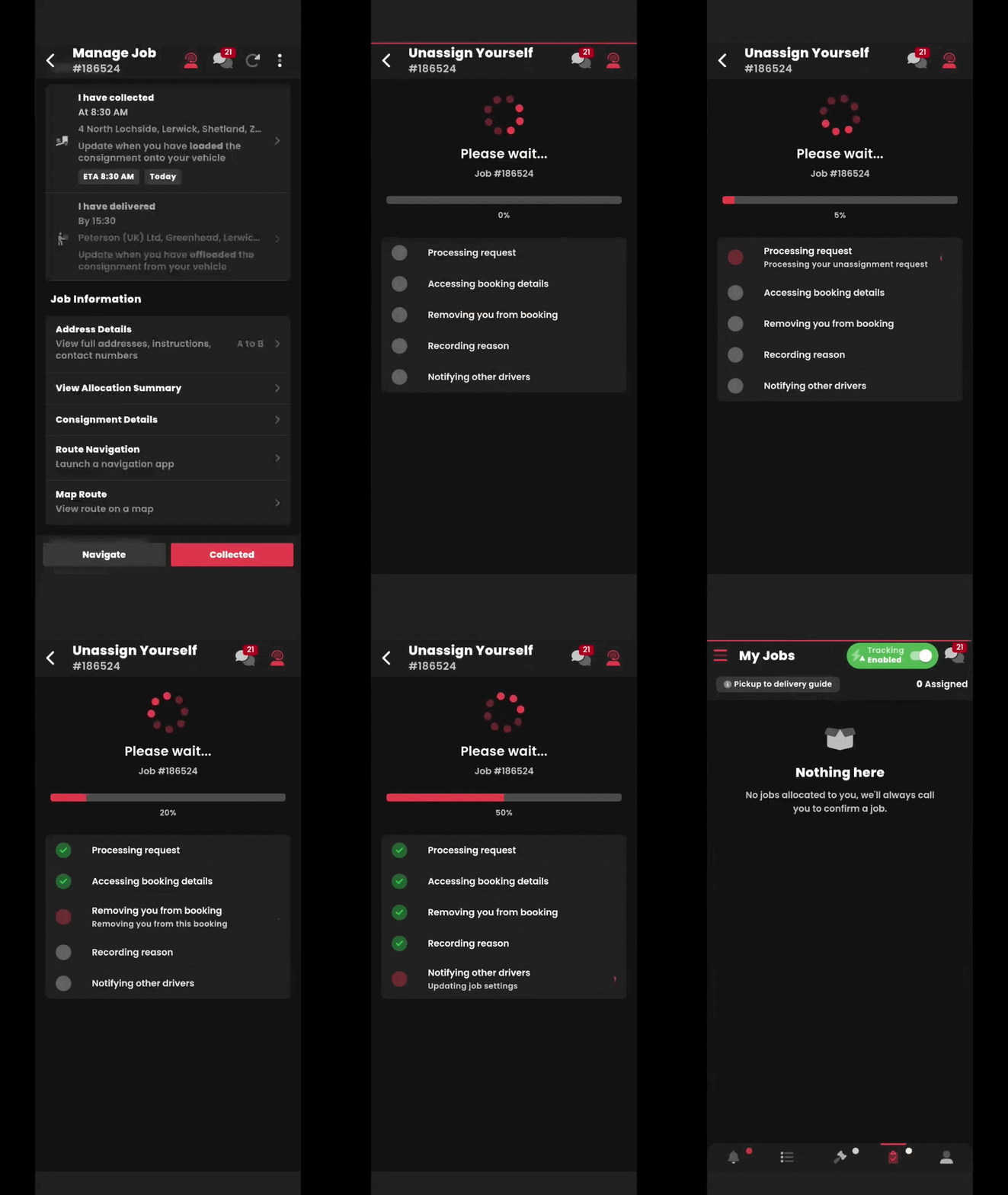
Take a look at our article before reviewing this: https://courierexpert.crunch.help/en/driver-app/the-hamster-had-its-hair-cut
If you're no longer available to complete a job, please unassign yourself from the job using the instructions below:
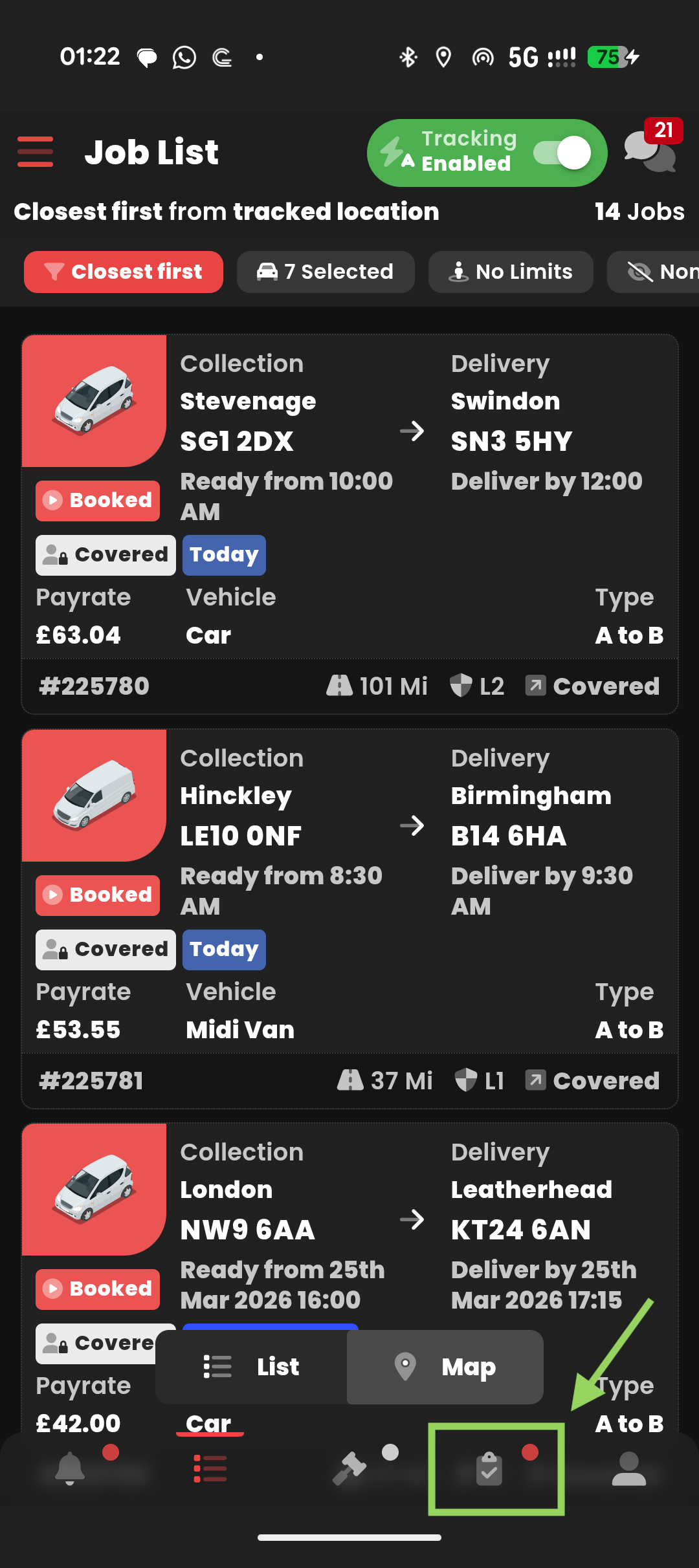
1) Select "My Jobs" as shown In the screenshot below
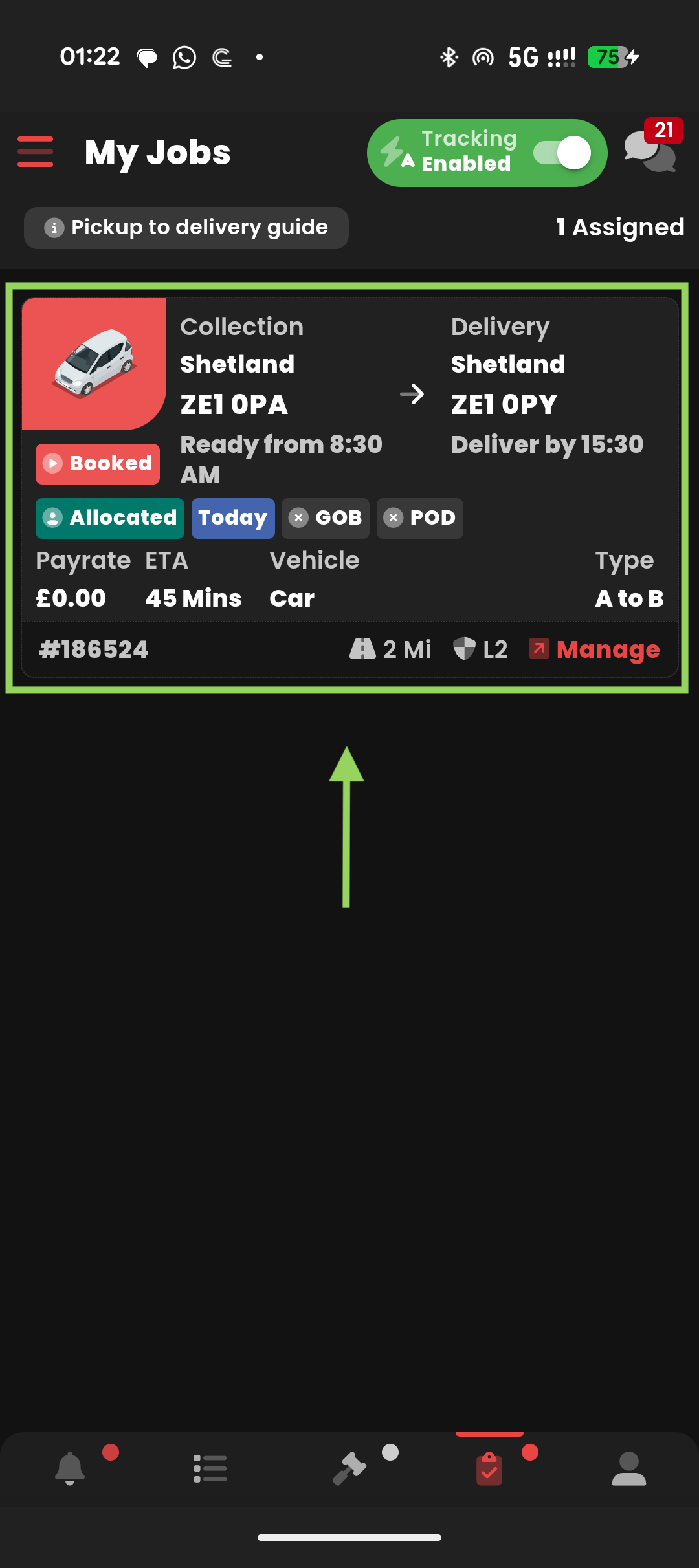
2) Find the job you're allocated to, click anywhere on the job.
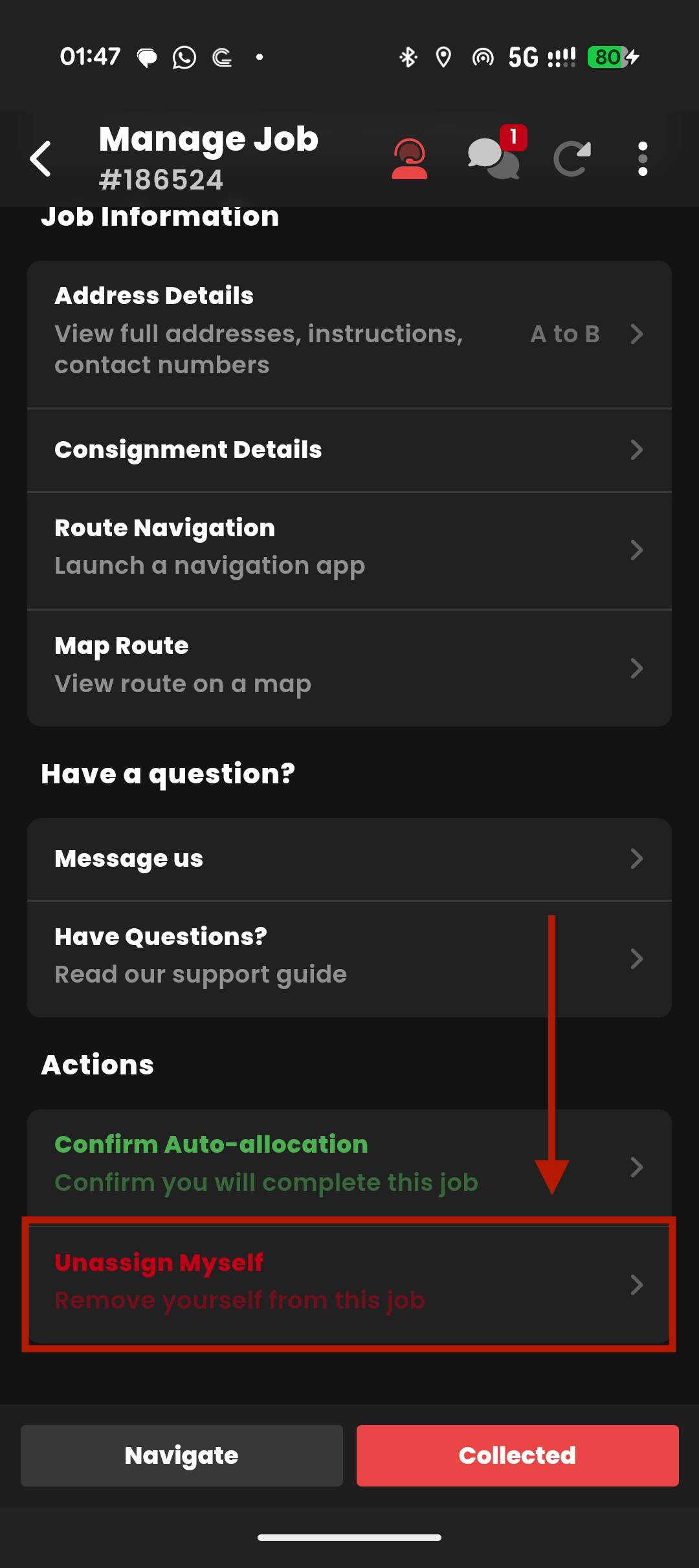
3) Scroll down, select "Unassign Myself"
 See an example of the process below: